



















Reviewed Products
|
Quick Answers

Last Updated:
Five portable monitors under Rs. 12,000 from Acer, ASUS, MSI, ARZOPA and Frontech, checked on ports, power, weight, screen and warranty.




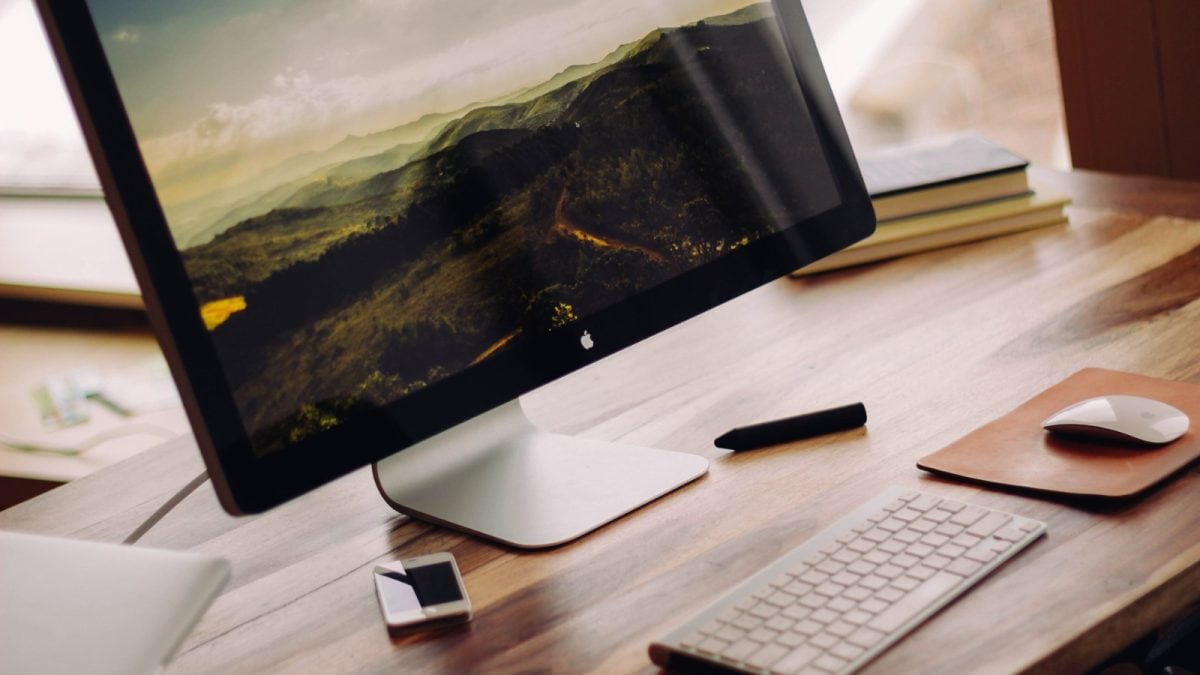
Representative image. Credit: Luke Chesser lukechesser / Wikimedia Commons (CC0)
A portable monitor turns a laptop into a two-screen setup you can carry in the same bag. It is useful for people who work from cafes, co-working spaces or client offices, for students who keep notes on one screen and lectures on the other, and for gamers who want a bigger screen for a phone or console. But not every laptop or phone can drive one over a single cable, and some models need a separate power adapter on the table.
We looked at five 15.6-inch and 16-inch Full HD portable monitors on Amazon under Rs. 12,000 and checked them on five things that matter before you pay: the ports, power, weight and stand, screen quality, and warranty. Here is how they compare.
1. Acer PM161Q B1 15.6-Inch Full HD Portable Monitor
Acer’s PM161Q B1 is the best-rated budget pick here, with a 4.3-star average from nearly 370 buyers. The 15.6-inch Full HD IPS panel offers 178-degree viewing angles, so the picture holds up when you share the screen with a colleague. It has two USB Type-C ports and one HDMI port, and a compatible laptop or phone can send both video and power over USB-C. At 700 g and under about 20 mm thick, it is among the lightest options in this list. Built-in speakers handle video calls, and Acer’s BlueLightShield reduces blue light for long work sessions. It costs Rs. 6,888, 31% off its MRP. See the 700 g Acer PM161Q B1 on Amazon.
2. Frontech 15.6-Inch Full HD IPS Portable Monitor (MON-0023)
The Frontech MON-0023 is the most affordable monitor here at Rs. 6,304, 58% below its Rs. 15,000 MRP. It has a 15.6-inch Full HD IPS matte panel with a 60Hz refresh rate and FreeSync support. Inputs include two Type-C ports and one mini HDMI port, and it adds two 2W stereo speakers and a 3.5 mm headphone jack. An adjustable 180-degree stand comes built in. One practical plus is that Frontech includes a power adapter along with the Type-C and mini HDMI cables, which helps if your laptop’s USB-C port cannot power the screen on its own. It weighs 750 g and comes with a one-year warranty. Check the Frontech monitor with a power adapter in the box.
3. ARZOPA A1 Gray 15.6-Inch Full HD Portable Monitor
ARZOPA’s A1 Gray holds a 4.5-star rating from 140 buyers, the second highest in this list. It has a 15.6-inch Full HD IPS screen and a metal body with a built-in kickstand, so you do not need a separate folding cover to prop it up. The company says it weighs about 1.6 pounds (roughly 730 g) and is 0.35 inches at its thinnest. It works with laptops, Macs, phones and consoles over USB-C or HDMI, with no app or driver to install. You can use it to mirror your screen or extend your desktop. It sells for Rs. 8,990, a 55% discount on its listed MRP. Get the ARZOPA A1 with its metal kickstand.
4. ASUS ZenScreen MB169CK 16-Inch Portable USB Monitor
The ASUS ZenScreen MB169CK is the pick for anyone who wants a longer warranty and a few extras. It has a 15.6-inch Full HD anti-glare IPS display with TÜV Rheinland-certified flicker-free and low blue light modes. It connects over dual USB-C ports, with DisplayPort Alt mode, or a mini HDMI input. The screen can switch between landscape and portrait automatically through ASUS software, which suits coders and anyone reading long documents. A 360-degree kickstand and a tripod socket on the back add flexibility. ASUS backs it with a three-year warranty. It costs Rs. 10,499, down 65% from its MRP. Pick the ASUS ZenScreen for its 3-year warranty.
5. MSI PRO MP161 E2 15.6-Inch Full HD Portable Monitor
MSI’s PRO MP161 E2 is the most reviewed of the pricier picks, with a 4.4-star rating from over 450 buyers. It has a 15.6-inch Full HD IPS panel at 60Hz with a 4 ms response time. TÜV Rheinland Eye Comfort certification covers its low blue light and anti-flicker features, and the surface is anti-glare. It is 1.08 cm thin and weighs 0.75 kg. The fold-out kickstand allows landscape or portrait use, and the monitor can also be mounted on a tripod. Inputs are mini HDMI and two USB-C ports with DisplayPort Alt mode, and MSI includes L-shaped cables. Built-in 1.5W speakers handle calls. It costs Rs. 11,972. View the MSI PRO MP161 E2 for portrait mode work.
Price comparison
| Portable monitor | Weight / ports | MRP | Price | Discount |
| Acer PM161Q B1 | 700 g, 2 x USB-C, HDMI | Rs. 9,999 | Rs. 6,888 | 31% |
| Frontech MON-0023 | 750 g, 2 x USB-C, Mini HDMI | Rs. 15,000 | Rs. 6,304 | 58% |
| ARZOPA A1 Gray | About 730 g, USB-C, HDMI | Rs. 19,999 | Rs. 8,990 | 55% |
| ASUS ZenScreen MB169CK | Auto-rotate, 2 x USB-C, Mini HDMI | Rs. 30,000 | Rs. 10,499 | 65% |
| MSI PRO MP161 E2 | 750 g, 2 x USB-C, Mini HDMI | Not listed | Rs. 11,972 | Not listed |
Five checks before you buy
1. Check your laptop’s USB-C port. Single-cable use only works if your laptop or phone supports video output over USB-C, often called DisplayPort Alt mode. Look for a small display or Thunderbolt icon next to the port, or check the spec sheet. If it does not support it, you will need the HDMI port and a separate power source.
2. Plan for power. Over USB-C, the monitor draws power from your laptop, which drains its battery faster. For long sessions, keep a charger or a power adapter handy.
3. Weigh the stand and the weight. Every model here is between 700 g and 750 g. A built-in kickstand is more stable on cafe tables than a folding cover.
4. Do not expect a desktop monitor. These are Full HD IPS screens built for documents, video calls and casual video. They are not as bright as a good laptop display, so a matte panel helps near windows.
5. Read the warranty. Warranty ranges from one year to three years in this list, and portable screens get carried around a lot.
If you already own a laptop with a capable USB-C port, any of these monitors will add a second screen for less than the cost of a desktop display. The Acer and Frontech keep costs low, the ARZOPA has the best rating, and the ASUS and MSI add longer warranties and portrait mode.
Quick Answers
 Ask News18
You must check if your laptop’s USB-C port supports video output over USB-C, commonly known as DisplayPort Alt mode, by looking for a small display or Thunderbolt icon. If it lacks this support, you will need to use an HDMI port and a separate power source.
Ask News18Delhi, India, India
November 03, 2026, 10:00 IST