


















Reviewed Products
|
Quick Answers

Last Updated:
Laser or ink tank? We compare two laser and two ink tank printers under Rs. 12,000 and explain which suits your monthly printing.




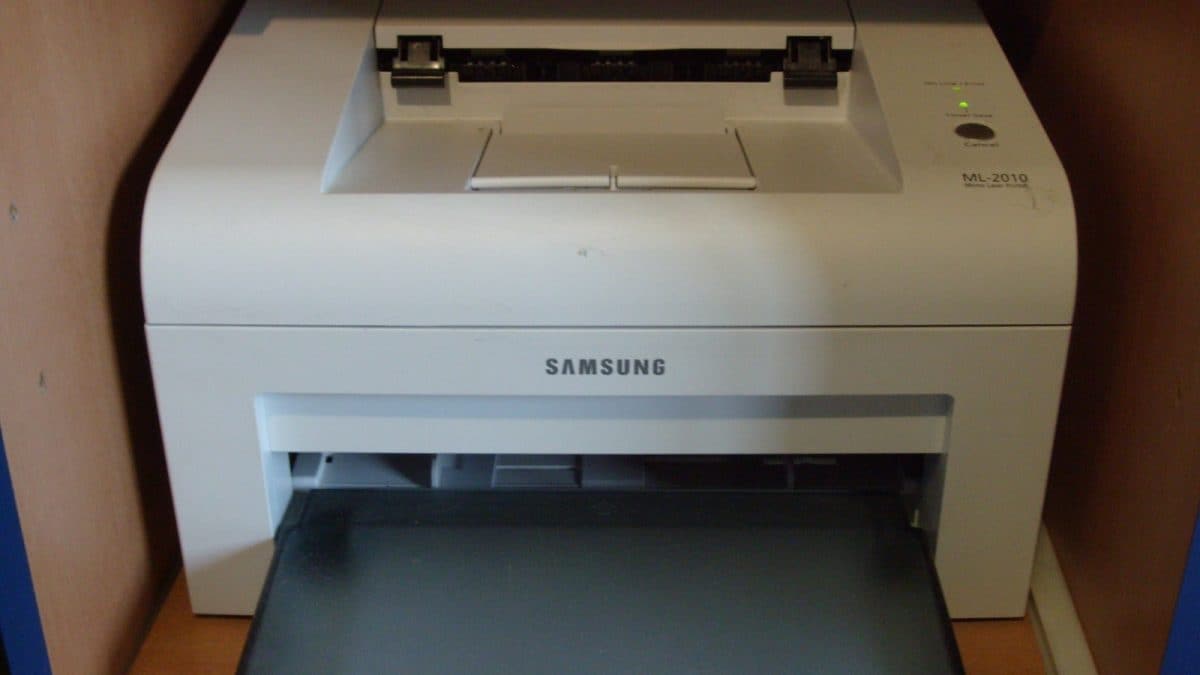
Representative image. Credit: Titoxx69 / Wikimedia Commons (CC BY 3.0)
Buying a home printer comes down to one question that most people skip: how many pages do you actually print in a month? The answer decides whether a laser printer or an ink tank printer makes more sense, and getting it wrong costs money either way.
A mono laser printer uses dry toner powder. It is fast, produces sharp text and, crucially, does not dry out if you leave it unused for weeks. That makes it ideal for homes that print occasionally, mostly in black and white: school worksheets, forms, tickets and office documents. Its weakness is cost per page, which is higher than an ink tank, and the lack of colour.
An ink tank printer uses refillable bottles of liquid ink. Running costs drop to a few paise per page, and you get colour and usually a scanner. But ink can dry in the nozzles if the printer sits unused for a long time, so it suits homes that print regularly.
We compared two laser printers and two ink tank printers under Rs. 12,000 on Amazon.
1. Brother HL-L2321D Mono Laser Printer With Auto Duplex
The Brother HL-L2321D is the most popular laser printer under Rs. 12,000, with a 4.4-star rating from over 4,800 buyers. It prints up to 30 pages per minute, the fastest in this list, and automatically prints on both sides of the page, which saves paper on long assignments and office documents. A large 250-sheet tray means less refilling. Print quality goes up to 600 x 600 dpi, with an HQ1200 mode for sharper text. It uses TN-2365 toner, and the in-box cartridge is rated for about 2,600 pages. It connects only over USB, with no Wi-Fi or scanner, and works with Windows, Mac and Linux. It costs Rs. 10,999. See the Brother HL-L2321D with auto two-sided printing.
2. Canon imageCLASS LBP6030B Mono Laser Printer
Canon’s imageCLASS LBP6030B is a compact, print-only laser printer for small desks. It prints up to 18 pages per minute, and Canon lists the running cost at about Rs. 3.88 per page using Cartridge 925. It handles a wide range of paper sizes and thicknesses from 64 to 275 GSM, including envelopes. It uses very little power in standby, 1.8W, and 0.8W in sleep mode. There is no automatic two-sided printing, Wi-Fi or scanner, and the input tray holds 150 sheets. Canon offers a one-year warranty. It has a 4.3-star rating from about 600 buyers and costs Rs. 11,602, with limited stock. Check the compact Canon LBP6030B laser printer.
3. Canon PIXMA MegaTank G2010 All-In-One Ink Tank Printer
The Canon PIXMA G2010 shows the big advantage of ink tanks: running cost. Canon says a set of its high-yield GI-790 bottles prints up to 6,000 black and 7,000 colour pages, far more than a laser toner cartridge. It is an all-in-one that prints, scans and copies, with a print resolution of up to 4800 x 1200 dpi for sharp text and bright colour images. Speed is slower at 8.8 images per minute in black and five in colour. It connects over USB, with no Wi-Fi, and has a small 1.2-inch LCD screen. Canon offers one year or 15,000 pages of onsite warranty, whichever comes first. It suits families who print schoolwork and projects every week. It has a 3.9-star rating from over 400 buyers and costs Rs. 10,490. Get the Canon G2010 for low-cost colour printing.
4. HP Smart Tank 524 All-In-One Ink Tank Printer
The HP Smart Tank 524 suits homes and small offices that print a lot. HP rates its ink at up to 4,000 black pages and 6,000 colour pages, lists a monthly duty cycle of up to 3,000 pages and claims print speeds of up to 30 pages per minute in black. It prints, scans and copies with a flatbed scanner, and has a small LCD display. It uses HP’s GT53 black and GT52 colour ink bottles. Connection is USB only. HP gives one year of warranty, extended by another year when you register, and offers phone and chat support. It is rated 4 stars and costs Rs. 11,699. View the HP Smart Tank 524 for high monthly volume.
Price comparison
| Printer | Type and cost per page (brand claim) | MRP | Price | Discount |
| Brother HL-L2321D | Laser, mono | Rs. 14,990 | Rs. 10,999 | 27% |
| Canon imageCLASS LBP6030B | Laser, about Rs. 3.88 | Not listed | Rs. 11,602 | Not listed |
| Canon PIXMA G2010 | Ink tank, up to 6,000 black and 7,000 colour pages per bottle set | Rs. 11,255 | Rs. 10,490 | 7% |
| HP Smart Tank 524 | Ink tank, up to 4,000 black pages per bottle set | Rs. 13,133 | Rs. 11,699 | 11% |
Laser or ink tank: decide by pages per month
Under 100 pages a month, mostly black text, used occasionally: choose a laser. Toner does not dry out, so the printer works even after weeks of no use.
100 to 500 pages a month, with some colour: choose an ink tank. Running costs are far lower, and you get a scanner too.
Over 500 pages a month: an ink tank like the HP Smart Tank 524 with a high duty cycle keeps costs down. For heavy black-only printing, a fast laser with duplex like the Brother saves time and paper.
Keep ink tanks active. Print a colour page every week or two to stop ink drying in the nozzles.
Check connectivity. All four printers here use USB. If you want to print from phones, you will need to spend more on a Wi-Fi model.
For occasional document printing, the Brother HL-L2321D is the safest choice. For families who print regularly in colour, the Canon PIXMA G2010 keeps running costs low.
Quick Answers
 Ask News18
Mono laser printers use dry toner powder, which never dries out if left unused for weeks, making them ideal for occasional black-and-white printing. Ink tank printers use refillable liquid ink bottles that offer significantly lower running costs, colour printing, and built-in scanners, but require regular use to prevent the ink from drying in the nozzles.
Ask News18Delhi, India, India
November 07, 2026, 16:00 IST