
















Over 620 million Indians have a DigiLocker account. That number is from the official portal — not an estimate. And yet, every time CBSE results drop or JEE registrations open, lakhs of students and parents scramble to create DigiLocker accounts at the last minute, crash the servers, and then flood Twitter with complaints. Don’t be that person. If you need to create a DigiLocker account (DigiLocker account kaise banaye), do it now — when there’s no rush, no server load, and no deadline breathing down your neck. The whole thing takes five minutes.
What DigiLocker Actually Is — Quick Version
DigiLocker is your government-issued digital document wallet (digital tijori, if you like). It stores verified copies of your driving licence, Aadhaar, PAN, marksheets, vehicle RC, caste certificate — basically anything a government department or registered institution can issue. These digital copies are legally valid under the Information Technology Act, 2000 and Rule 9A of the IT Rules, 2016. That means a DL in your DigiLocker is as good as the laminated card in your wallet. Police, airports, and Indian Railways all accept it.
The platform is run by the Ministry of Electronics & IT (MeitY) under the Digital India programme, and it’s completely free.
What You Need Before You Start
This is one of the simplest government registrations you’ll encounter. Here’s the list:
- Aadhaar number — your 12-digit Aadhaar is the primary way to sign up. Your name, date of birth, and other details get pulled directly from the UIDAI database.
- Mobile number linked to your Aadhaar — this is non-negotiable for the Aadhaar-based signup. The OTP goes to this number. If your Aadhaar has an old or inactive number, get it updated at an Aadhaar enrolment centre first.
- A working email ID — optional during signup, but you’ll want one linked for notifications and recovery.
No fee. No documents to upload. No scans needed at this stage.
Can you sign up without Aadhaar? Technically, DigiLocker now integrates with MeriPehchaan (https://meripehchaan.gov.in), the government’s Single Sign-On platform, which allows registration with just a mobile number, name, and gender. But — and this is a big but — without Aadhaar linked, you won’t be able to fetch issued documents from government departments. Your account will essentially be a storage locker with limited functionality. My suggestion: link Aadhaar from the start.
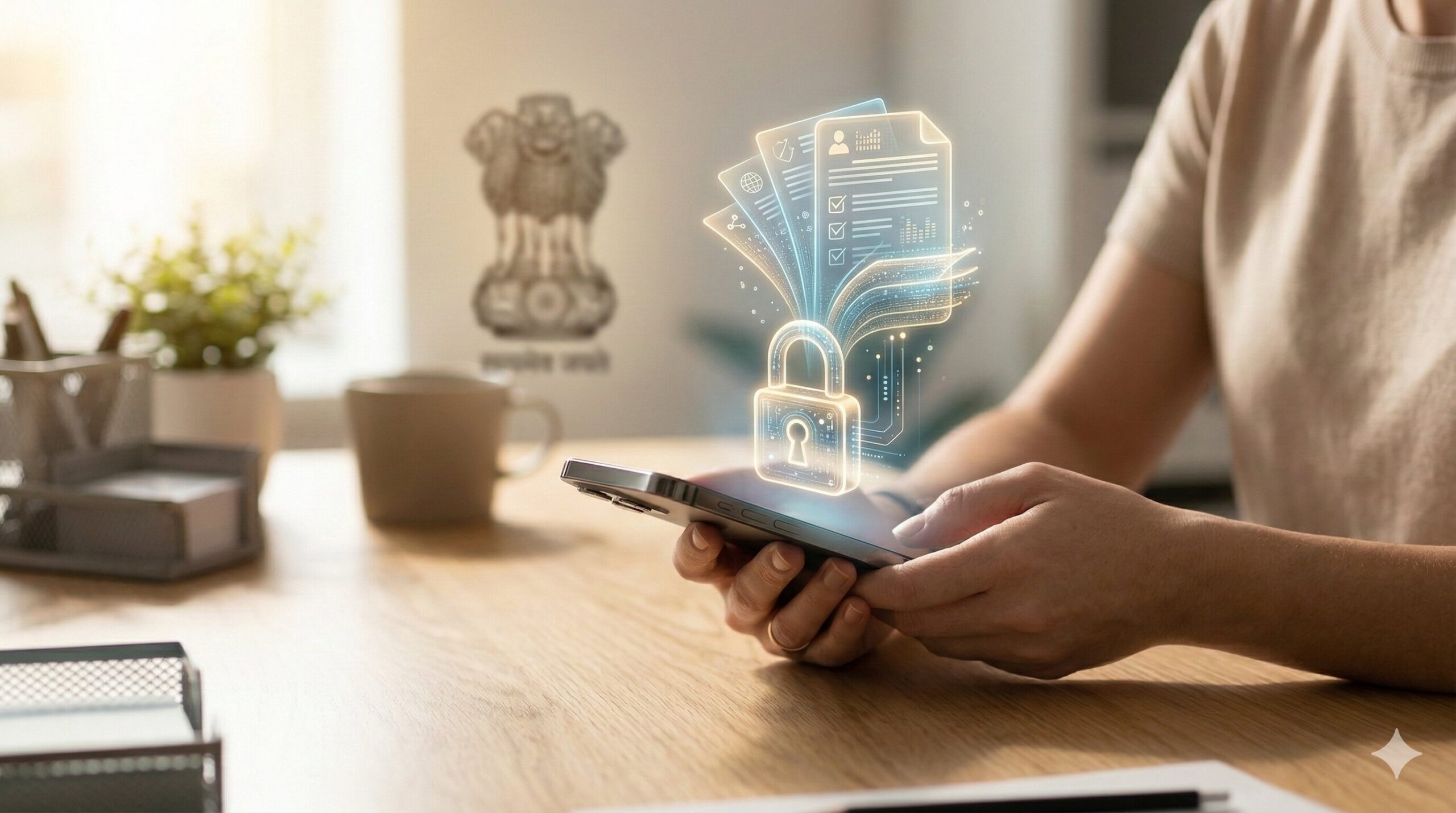
How to Create a DigiLocker Account — Step by Step
You can do this on the website or the mobile app. Both work, but the app is genuinely smoother on phones — the website on mobile can feel cramped and the Aadhaar OTP entry page sometimes doesn’t auto-focus the text field, which is annoying.
On the Website
1. Go to https://www.digilocker.gov.in
Click the “Login / Register” button at the top right. You’ll be redirected to the MeriPehchaan sign-in page at digilocker.meripehchaan.gov.in.
2. Click “Sign Up”
On the sign-in page, you’ll see options to log in via Mobile, Username, or Others. Below those, there’s a “New user? Sign up” link. Click it.
3. Enter your Aadhaar number
You’ll land on the Aadhaar entry page at accounts.digilocker.gov.in. Type your 12-digit Aadhaar number in the text box. You’ll also see a consent checkbox — it says you authorize the use of your Aadhaar for e-KYC purposes including retrieval and storage of Aadhaar details in your DigiLocker wallet. Tick it and proceed.
4. Verify with Aadhaar OTP
An OTP will be sent to the mobile number registered with your Aadhaar. This OTP comes from UIDAI, not from DigiLocker — so it may take a few seconds longer than the typical Zomato or Flipkart OTP. The portal explicitly says: “Wait few minutes for the OTP, do not refresh or close!” Take that seriously. I’ve seen people refresh the page after 10 seconds, lose the session, and have to start over.
The OTP session is valid for about 30 minutes as per the official DigiLocker FAQ, but the resend option appears after 2 minutes.
5. Set your security PIN
Once the OTP is validated, you’ll be prompted to create a 6-digit security PIN. This is your second-factor authentication for future logins. Pick something you’ll remember — but not your birth year or 123456. You’ll need this PIN every time you log in.
6. Set up a username (optional)
The portal may prompt you to create a unique username. This is optional — you can always log in using your mobile number or Aadhaar instead. But if you want a cleaner login experience, create one.
That’s it. Your DigiLocker account is now active. You’ll see your dashboard with sections for Issued Documents, Uploaded Documents, and Drive.
On the Mobile App
The app is available on both Google Play and the App Store — search for “DigiLocker” by Digital India Corporation. The process is nearly identical:
- Open the app and tap “Sign Up” or “Get Started”
- Enter your Aadhaar number
- Authorize consent for e-KYC
- Enter the OTP sent to your Aadhaar-linked mobile
- Set your 6-digit PIN
- Done — you’re on the dashboard
The app gives you quicker access to fetching documents later, especially DL and vehicle RC, which are the two most commonly pulled documents.
Priya from Nagpur set up her DigiLocker account the night before a long drive to Pune. She fetched her driving licence and vehicle RC within three minutes of creating the account — both showed up under Issued Documents with a valid digital signature from the Ministry of Road Transport. When she was stopped at a nakabandi (checkpoint) near Lonavala, the traffic police accepted both documents on her phone screen without any fuss.
Fees and Timeline
Fees: Zero. DigiLocker is completely free — no registration fee, no subscription, no hidden charges. You get 1 GB of cloud storage for uploading your own documents.
Storage limits: Each individual file you upload can be a maximum of 10 MB in size. Accepted formats: PDF, JPG, JPEG, PNG, BMP, and GIF.
How fast is it? Account creation takes under 5 minutes if your Aadhaar-linked mobile is working and the OTP comes through promptly. Fetching issued documents (DL, RC, marksheets) happens in real-time — usually within seconds.
Timeline for Aadhaar OTP: As per the official DigiLocker FAQ, UIDAI handles OTP delivery and there may be slight delays depending on network load. For some telecom networks, it may take a few extra seconds. The session stays valid for 30 minutes.
How to Verify Your Mobile Number in DigiLocker
If you’ve signed up via Aadhaar, your Aadhaar-linked mobile is automatically verified. There’s no separate mobile verification step.
But here’s where it gets confusing for some people: what if you want to update your mobile number later? Maybe you changed your SIM after creating the account.
Go to Profile → Account Settings in your DigiLocker dashboard. The option to update your mobile number is available here — but only if your DigiLocker is not linked with Aadhaar. If it is linked (which is the recommended setup), the mobile number is fetched from UIDAI and can’t be changed from within DigiLocker. You’ll need to update it at an Aadhaar enrolment centre first, and then it reflects in your DigiLocker automatically.
Rohan from Indore changed his phone number but forgot to update it in Aadhaar. When JEE Main 2026 registration opened and required DigiLocker verification, he couldn’t log in because the OTP was going to his old number. He had to rush to an Aadhaar centre, get the mobile updated, wait 48 hours for it to reflect, and then log into DigiLocker. The whole thing cost him three stressful days. Lesson: keep your Aadhaar mobile number current — it affects everything downstream.
How to Check What’s in Your Account
Once logged in, your dashboard shows:
- Issued Documents — documents fetched directly from government issuers (these are legally valid originals)
- Uploaded Documents — scans you’ve uploaded yourself (these are not legally equivalent to originals unless you eSign them)
- Drive — your 1 GB personal cloud storage, similar to Google Drive
- Activity — a log of everything you’ve done in the account
To fetch a new document, use the search feature on the dashboard. Type what you want — “Driving Licence,” “Class X Marksheet,” “PAN” — and select the issuer. You’ll need to provide a reference number (like your DL number or roll number) and authenticate via Aadhaar OTP. The document gets pulled from the issuer’s database and appears in your Issued Documents section.
Common Mistakes and How to Fix Them
❌ Aadhaar mobile number is outdated → ✅ Visit your nearest Aadhaar enrolment centre and update it. There is no way to receive the signup OTP on a different number if you’re using the Aadhaar-based registration path.
❌ Refreshing the page while waiting for OTP → ✅ Don’t. The portal warns you explicitly. OTPs from UIDAI can take up to a minute or more, especially on BSNL or Jio networks during peak hours. Wait the full 2 minutes before hitting “Resend.”
❌ Using an old version of the DigiLocker app → ✅ The app interface changed significantly with the MeriPehchaan integration. If you’re on an older version, the signup flow may look different or throw errors. Update the app from Play Store/App Store before starting.
❌ Trying to fetch documents without Aadhaar linking → ✅ If you signed up only via mobile number (non-Aadhaar path), you can store uploads but you can’t pull issued documents from government departments. Link your Aadhaar from the profile section to unlock this.
❌ Uploading files larger than 10 MB → ✅ The portal quietly fails on oversized files. No clear error message. Compress PDFs using any free tool (iLovePDF, SmallPDF) before uploading.
❌ Creating multiple accounts with different Aadhaar numbers → ✅ You can’t. One Aadhaar = one DigiLocker account. If you think you already have an account but can’t remember, try logging in with your Aadhaar — the system will recognize it.
❌ Expecting the portal to work smoothly during CBSE result week → ✅ It won’t. Every year during result season, the servers get hammered. Create your account well in advance — not on the day you need it.
What Nobody Tells You
Here’s something that almost no DigiLocker guide mentions: issued documents in DigiLocker don’t take up your 1 GB storage. The 1 GB limit applies only to documents you upload. Documents fetched from government issuers (DL, RC, marksheets, Aadhaar) are stored separately as URI links — they’re essentially pointers to the issuer’s database, not files sitting in your storage. So you can fetch hundreds of issued documents without worrying about running out of space.
Also: your DigiLocker username, once created, cannot be changed. The official FAQ confirms this. So if you pick something embarrassing or generic in a rush, you’re stuck with it. Use your mobile number for login instead if this happens — the username is optional anyway.
One more practical thing: if your payment for something fails and the system asks you to verify identity via DigiLocker, the process is not a separate login — it uses the MeriPehchaan SSO. So if you’re already logged into DigiLocker on the same browser, several government portals (like JEE Main or National Scholarship Portal) can authenticate you automatically without re-entering your Aadhaar.
FAQs
Is DigiLocker free to use?
Yes, completely free. No registration fee, no subscription, no premium tier. You get 1 GB of storage for uploads at no cost.
DigiLocker account kaise banaye bina Aadhaar ke?
Aap MeriPehchaan ke through sirf mobile number, naam, aur gender se account bana sakte hain. Lekin bina Aadhaar link kiye, issued documents (DL, RC, marksheet) nahi mil payenge.
Can I use DigiLocker documents at airports and railway stations?
Yes. The Bureau of Civil Aviation Security (BCAS) and Indian Railways both accept DigiLocker-issued documents as valid identity proof.
What’s the maximum file size I can upload to DigiLocker?
10 MB per file. Accepted formats include PDF, JPG, JPEG, PNG, BMP, and GIF. Total upload storage is 1 GB per account.
DigiLocker me mobile number verify kaise kare?
Agar Aadhaar se signup kiya hai, toh mobile number automatically verify ho jata hai — UIDAI se OTP aata hai aur wahi verification hai. Alag se mobile verify karne ki zaroorat nahi.
What if I don’t receive the OTP during signup?
Wait at least 2 minutes before requesting a resend. OTPs come from UIDAI, not DigiLocker, and can be slightly delayed. Avoid refreshing the page. If it still doesn’t arrive, check if your Aadhaar-linked number is active.
Are DigiLocker documents legally valid?
Yes. Under Rule 9A of the IT (Preservation & Retention of Information by Intermediaries Providing Facilities of DigiLocker) Rules, 2016, issued documents on DigiLocker are treated at par with original physical documents.
Can I access DigiLocker from the app and website both?
Yes. Your account syncs across both. App is available for Android and iOS — search “DigiLocker” by Digital India Corporation.
Chinnagounder Thiruvenkatam — Editor at Tips Clear. Our team researches, tests each portal process hands-on, and updates guides when portal interfaces or government rules change. This content is educational and should not be treated as legal or financial advice. Always verify the latest process on the official government portal.
Disclaimer: This guide is for educational purposes. Portal interfaces and processes may change. Always verify the latest steps on https://www.digilocker.gov.in before proceeding.
Suggested Internal Links:
- How to File RTI Online — Step-by-Step Guide
- How to Download and Correct Your Aadhaar Card Online
- How to Check EPF Balance and Download UAN Passbook
- How to Apply for Passport Online on Passport Seva Portal
- e-Challan Payment: How to Pay Traffic Fines Online on Parivahan